
In Lato, you can add internal notes to a trip to keep important information visible only to your team. Internal notes are useful for sharing updates, recording client preferences, or tracking operational details without displaying them to travellers. This guide shows where to find the internal notes section and how to use it effectively within your workflow.
Where can You Add Internal Notes
Trips
Contacts
Accommodations in the Library
Activities in the Library
How to Add an Internal Note
Open the relevant record (e.g., the contact or the trip element you’re working on)
Find the Internal notes / Notes area
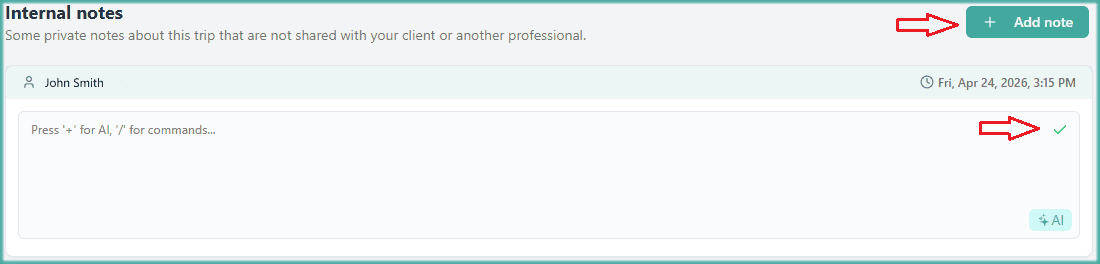
Click on "+ Add note"
Write your note
Save by clicking on the green "V" inside the text box
Tip!
You can add multiple notes on each trip. Press "+ Add note" as many times as you need.