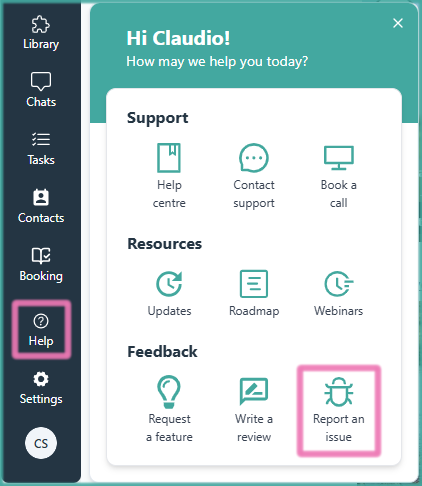
Lato includes a Bug Report button so users can quickly report any issues they encounter. Our goal is to support clients as diligently as possible, and this feature helps us identify and resolve problems faster. By submitting a report, you help our team improve the platform and ensure a smoother experience for everyone.
How to Report a Bug in Lato
Go to the "Help" section on the left side column
Look under Feedback
Click on "Report an issue" (🪲)
Choose your favourite email app
Fill in all the information on the template
Send us the email and we'll do our best to solve it as fast as possible 👨🔧🛠